

 Loading...
Play Brainrots.io online for free, a browser-based logic puzzle game. Brainrots.io is designed around connect-the-pairs path‑drawing mechanics, making it perfect for players who enjoy thoughtful, grid‑based challenges. Whether you’re a quick‑session casual player or a methodical puzzle solver, you’ll find clean design, progressively tougher boards, and satisfying “aha!” moments. Explore minimalist, brain‑teaser themes as you link matching icons, cover the entire grid, and challenge yourself through increasingly difficult levels and obstacles.
The objective of the game is to connect all matching icon pairs with continuous paths while filling the board without crossing lines.
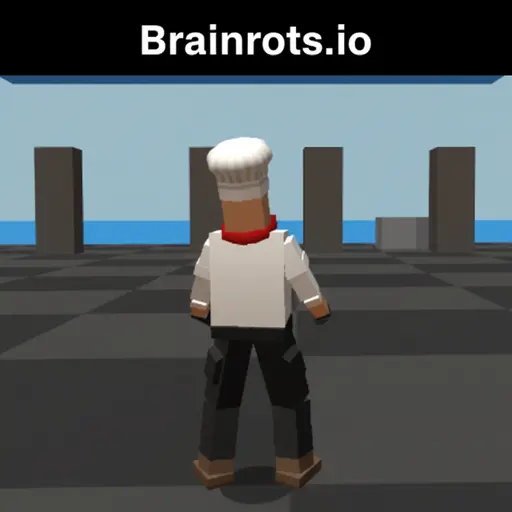
What is Brainrots.io?
Brainrots.io is a game developed by an independent web team and released in 2025 (web). This unique game places you in the role of a puzzle strategist who must plan efficient routes on a grid.
The game features clean, minimalist 2D graphics and intuitive, drag‑to‑draw gameplay, captivating players from the very first play. Its aim is to test your skills in logic, spatial reasoning, and pathfinding, with a variety of board sizes and challenge types.
As you progress, the difficulty increases, forcing you to adjust your strategies to succeed each time.
Brainrots.io is perfect for players who enjoy intellectual challenges and games where strategy takes precedence over speed. It was designed for a broad audience, ranging from kids aged 6 and up to adults, and can be played solo.
Platforms to Play Brainrots.io
Brainrots.io is a browser-based game, compatible with all major browsers such as Google Chrome, Firefox, Safari, and Edge. It also works very well on mobile devices, whether you use iOS or Android. This game is accessible on your desktop, tablet, or smartphone, allowing you to play anytime and anywhere.
Simply open your browser and start playing — no need to download anything.
How to Play Brainrots.io?
The concept of Brainrots.io is simple. You need to connect matching icons with continuous lines and fill the board without crossing paths. The game involves careful route planning, using edges, corners, and bottlenecks to your advantage. Timing is crucial: draw deliberately to avoid blocking future paths and minimize backtracking.
Here are the basic steps to play:
- Step 1: Pick a level and board size that suits your skill.
- Step 2: Tap or click an icon, then drag a path to its matching icon.
- Step 3: Ensure paths don’t overlap and aim to cover all tiles for a perfect clear.
- Step 4: Use undo or reset if you trap yourself, then refine routes to complete the level efficiently.
Game Mode in Brainrots.io
Brainrots.io offers a single main game mode: the "Adventure" mode. In this mode, you must complete a series of increasingly difficult levels. Each level has unique challenges, such as larger boards, tighter corridors, and more complex icon layouts.
There is no multiplayer mode in this game, but you can always try to beat your own best times or move counts to add a competitive element.
Controls in Brainrots.io
The game uses very simple controls, suitable for both desktop and mobile devices:
- On PC: Left‑click and drag to draw a path; release to connect. Use on‑screen buttons to undo or reset.
- On mobile: Tap and hold an icon, then swipe to its pair; lift your finger to connect. Use on‑screen undo and reset controls.
Features of Brainrots.io
Here are some features that make Brainrots.io so captivating:
- Progressive difficulty: Boards scale from beginner to expert with thoughtful layouts.
- Mobile‑friendly HTML5: Smooth performance and touch controls across devices.
- Quality‑of‑life tools: Undo, reset, and optional hints to learn faster without frustration.
Characters and Customization in Brainrots.io
In Brainrots.io, you guide paths between matching icons on a grid. While there are no traditional characters, you may encounter different icon sets and board themes. Cosmetic options are light and focus on clarity and readability, letting you tailor the visual style to your preference.
Tips and Strategies for Brainrots.io
Here are some tips to help you succeed in the levels of Brainrots.io:
- Start with bottlenecks: Fill tight corridors and corners first to reduce guesswork.
- Work the edges: Route along borders to preserve the center for trickier paths.
- Plan, then draw: Visualize multiple routes before committing; use undo liberally to refine.
Can I Play Brainrots.io Online?
Yes, you can play Brainrots.io directly in your browser. Simply open the game and start playing with no download or registration required.
Download the Game
Can I Play Brainrots.io on GitHub or GitLab?
No, there is currently no open‑source version or source code available on GitHub or GitLab for Brainrots.io.
GitHub
You cannot play Brainrots.io directly from GitHub. If an official repository is ever released, it would likely host static assets and documentation, but gameplay would still run in a browser build served by the developers.
GitLab
Similarly, there is no official GitLab project for Brainrots.io. Community mirrors or forks are not endorsed; for security and performance, play only the official browser version.
Game Details
| Developer | Independent web developer/team (official credit not publicly listed) |
|---|---|
| Release Date | 2025 (web) |
| Genre | Logic puzzle • Connect‑the‑pairs • Grid pathfinding |
| Platform | Web browser (desktop and mobile) |
| Mode | Single‑player |
Similar Games to Brainrots.io
- Flow Free
- Lines FRVR
- Two Dots
Find More Games by Category
- Puzzle
- Brain Training
Can I Play Brainrots.io Unblocked?
Yes, you can often play Brainrots.io unblocked at school or work because it’s an HTML5 browser game. Availability depends on your network’s policies. The following portals are popular for unblocked, browser‑based puzzle games and may feature Brainrots.io or similar titles:
- Unblocked Games 76: Large selection of classroom‑friendly puzzle games.
- Unblocked Games G+: Quick, logic‑based picks suitable for short sessions.
- Unblocked Games 6x: Safe, kid‑friendly HTML5 puzzles.
- Unblocked Games 66: Extensive catalog of accessible puzzle content.
- Unblocked Games 67: No‑download, in‑browser puzzles.
- Unblocked Games 77: Robust selection for fast, engaging challenges.
Frequently Asked Questions (FAQ)
-
What is Brainrots.io?
Brainrots.io is a logic puzzle where you connect matching icons with continuous paths, fill the grid, and ensure lines don’t cross. -
How do I play Brainrots.io?
Use the mouse or touch controls to click (or tap) on an icon, drag to its pair, and release to create a line. Fill the board without overlapping paths. -
Is the game free?
Yes, Brainrots.io is free and accessible directly in the browser. -
On which platforms can I play?
The game is available on modern web browsers for desktop, tablet, and mobile devices. -
Do I need an account to play?
No, you can start immediately without an account. -
Is the game suitable for children?
Yes, Brainrots.io is designed for all ages and features clean, age‑friendly visuals. -
Are there difficulty levels?
Yes, levels scale in complexity with larger boards and trickier layouts. -
How do I progress to the next level?
You must connect all pairs and complete the board without invalid overlaps. -
Can I replay a level?
Yes, you can replay any completed level to improve time or move count. -
Is the game multiplayer?
No, Brainrots.io is a solo experience. -
Are there any tips for success?
Start with bottlenecks and corners, route along edges, and use undo/reset to refine tricky sections. -
How can I improve my skills in the game?
Practice regularly, learn the patterns of each level, and use the undo button strategically to refine your routes. -
What do I do if the game is lagging or crashing?
Try clearing your browser cache, updating your browser, closing unused tabs, or playing on a device with a stable connection. -
Can I play without an internet connection?
No, the game requires an internet connection for browser play. -
How do I earn rewards or bonuses?
Depending on the build, you may earn stars or cosmetic unlocks by completing levels efficiently or maintaining streaks. -
What happens when I lose all my lives?
There are no “lives.” If you’re stuck, you can undo moves or reset the level and try again. -
How often does the game get updated?
The web build is periodically updated with fixes and refinements; check the game’s update notes when available. -
Can I customize my character or plane?
There are no characters; however, you may unlock or choose different board backgrounds or icon skins if cosmetics are enabled. -
How do I unlock new levels or stages?
New levels unlock automatically as you complete previous ones. -
Is there any way to save my progress?
Yes, progress is saved locally in your browser’s storage. Clearing site data or switching devices can reset progress.
Conclusion
Brainrotsio offers a focused, satisfying challenge for fans of logic and connect‑the‑pairs puzzles. With simple controls, scalable difficulty, and accessible browser play, it’s ideal for casual sessions or serious brain training. Whether you’re improving your best times or clearing the full campaign, dive in and see how far your strategy can take you in Brainrots.io!