

 Loading...
Play DEADSHOT.io online for free, the ultimate fast-paced first-person shooter that tests your aim and reflexes against players from around the world. If you love competitive action and proving your skills, this game is built just for you. With simple mechanics but deep gameplay, it is easy to pick up but hard to master.
Whether you are playing on a school Chromebook, a home PC, or a laptop, DEADSHOT.io is packed with intense battles, cool weapon skins, and competitive leaderboards. You can jump straight into the action, unlock awesome rewards, and climb the ranks to become the best shooter in the arena.
Are you ready to dominate the battlefield and show everyone your sharpshooting skills?
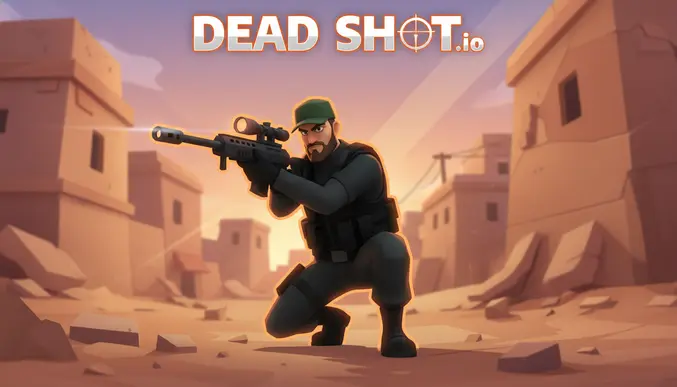
About DEADSHOT.io
DEADSHOT.io is a dynamic multiplayer FPS (First-Person Shooter) designed for quick matches and high-skill gameplay. It was first released in 2021 and quickly gained popularity among browser gamers for its smooth performance and "no-nonsense" competitive style.
The game was created by GoalieSave25, an indie developer focused on creating responsive and accessible shooting games. Whether you're playing on a desktop or a laptop, DEADSHOT.io is designed to run smoothly even on older hardware, ensuring that skill is the only thing that matters.
Thanks to its huge variety of weapons and fluid movement mechanics, DEADSHOT.io continues to be a favorite choice for kids and players of all ages who love intense action and tactical gameplay!
DEADSHOT.io Gameplay
DEADSHOT.io is challenging but incredibly rewarding! You start by choosing your loadout and entering an arena filled with other players. Your main goal is to eliminate as many opponents as possible while avoiding getting hit yourself. To succeed, you need quick reflexes, precise aim, and smart positioning.
As you play, you earn score points that help you level up your account. The game features a shop system where you can unlock cool skins for your weapons and characters. Unlike many other browser shooters, this game focuses heavily on movement techniques like sliding and crouching to dodge enemy fire.
The gameplay mechanics are tight and responsive. You can switch between different weapon classes like assault rifles, sniper rifles, and shotguns depending on your playstyle. Upgrading your skills, such as learning recoil patterns and map layouts, directly improves your performance in matches.
For advanced players, mastering the "slide-jump" mechanic is essential. The game features various environments, from warehouse settings to open arenas, each requiring different strategies. Success depends entirely on your ability to outsmart and outshoot your opponents.
Platform
You can play this game directly in your web browser, whether you're using a desktop, laptop, tablet, or mobile device.
How to Play DEADSHOT.io?
In DEADSHOT.io, your main goal is to score the highest number of eliminations in the match. You face off against real players in a battle for supremacy. You must constantly check your surroundings, listen for footsteps, and aim for the head to take down enemies quickly.
The game increases in difficulty because you are playing against real humans who are also trying to win. You can collect coins or points based on your performance, which allows you to buy cosmetic upgrades. If you are eliminated, don't worry—you can respawn instantly and get back into the fight.
Matches usually have a time limit or a score limit. The player with the most points at the end of the round wins. This competitive loop motivates you to keep playing and improving your aim.
Controls
DEADSHOT.io uses standard FPS controls that are easy to learn for anyone who has played PC games before. Here's how you control your soldier:
- On Computer:
- WASD: Move your character
- Mouse: Aim and look around
- Left Click: Shoot weapon
- Right Click: Aim down sights (ADS)
- Space Bar: Jump
- Shift: Crouch or Slide
- R: Reload weapon
- On Mobile:
- Virtual Joystick: Move character
- Touch Screen: Aim and shoot buttons
These controls are intuitive, making it super simple to jump in and start playing immediately.
Tips and Tricks for DEADSHOT.io
Want to dominate the leaderboard in DEADSHOT.io? These simple and helpful tips will improve your aim and help you unlock cool rewards:
- Aim for the Head: Headshots deal significantly more damage than body shots, allowing you to defeat enemies faster.
- Keep Moving: Never stand still. Use the WASD keys to strafe left and right while shooting to make yourself a harder target.
- Master the Slide: Press Shift while running to slide. This makes you move faster and harder to hit.
- Reload Safely: Don't reload in the open. Hide behind walls or crates before pressing 'R'.
- Check Your Corners: Enemies often hide around corners. Pre-aim (aim before you peek) to get the first shot.
- Customize Sensitivity: Go to settings and adjust your mouse sensitivity to find the speed that feels best for your aim.
- Use Audio: Wear headphones to hear enemy footsteps so you know where they are coming from.
- Switch Weapons: If you run out of ammo in a fight, switch to your pistol instead of reloading your main gun.
Follow these tips and you'll be topping the leaderboards in no time!
Features of DEADSHOT.io
DEADSHOT.io is a thrilling shooter designed for players of all ages. Below are the top features that make this game so enjoyable and addictive:
- Multiple Modes: Play Free-For-All (FFA), Team Deathmatch, or specialized duel modes depending on what you enjoy.
- Huge Weapon Arsenal: Choose from Sniper Rifles, AK-47s, SMGs, and Shotguns to suit your combat style.
- Skill-Based Matchmaking: The game focuses on pure skill, rewarding players who practice their aim and movement.
- Custom Skins: Unlock and equip various skins for your weapons and character to stand out in the arena.
- Instant Play: No long loading screens or downloads; jump straight into a match within seconds.
- Leaderboards: Compete globally and see where you rank against the best players in the world.
- Smooth Performance: Optimized graphics ensure the game runs fast even on school computers or older laptops.
- Private Lobbies: Create custom rooms to play privately with your friends and set your own rules.
These features make DEADSHOT.io a perfect game for anyone who loves action, competition, and shooting games!
Game Details
| Developer | GoalieSave25 |
|---|---|
| Release Date | 2021 |
| Genre | First-Person Shooter (FPS) |
| Platform | Web Browser (Desktop & Mobile) |
| Mode | Multiplayer |
DEADSHOT.io Online
DEADSHOT.io online is the special version of the popular FPS game that you can play right here on our website. This version has been carefully designed so that you can enjoy the game directly in your browser—without downloading or installing anything!
You can start playing DEADSHOT.io instantly with just one click. It works smoothly on all major web browsers, including Google Chrome, Mozilla Firefox, Microsoft Edge, Safari, and Opera. Whether you're using a computer, tablet, or mobile phone, the game is fully optimized for your device.
This is a modified edition of the original DEADSHOT.io, made for the best online experience. It keeps all the fun gameplay while running fast and safely on every browser.
DEADSHOT.io for Free
You can enjoy playing DEADSHOT.io for free right here on our website. This is a special modified version of the original game that allows you to play online without paying anything. No download is needed, and there are no hidden fees or in-game purchases required to win.
Everything in the game—from unlocking weapons to playing different maps—is completely free. Kids and players of all ages can have fun without spending a single coin!
Also, all the games on our site are 100% free to play. We believe in fun gaming without limits or costs. Just choose a game and start playing instantly!
Can You Play DEADSHOT.io Unblocked?
Yes! You can play DEADSHOT.io unblocked anytime on our website Unblocked Games nl. Whether you're at school, in class, at work, or on a break, the game runs smoothly without any restrictions.
There's no need to download anything or bypass any blocks. Just visit our site and start shooting right away. It's safe, fast, and works perfectly on any device!
- Unblocked Games 76: A popular site that offers a large variety of unblocked games, including DEADSHOT.io’s clean and engaging gameplay.
- Unblocked Games G+: Another great destination for games that are often blocked on school networks. DEADSHOT.io is featured for quick, skill-based fun.
- Unblocked Games 6x: Offers safe, kid‑friendly titles. DEADSHOT.io fits perfectly with its competitive focus.
- Unblocked Games 66: Known for its extensive collection of accessible games. DEADSHOT.io is available for unblocked play, letting you test your skills wherever you are.
- Unblocked Games 67: Provides no-download, in‑browser games. DEADSHOT.io appears in the action section.
- Unblocked Games 77: A robust selection of unblocked games, letting you enjoy DEADSHOT.io’s engaging platform for quick challenges.
DEADSHOT.io GitHub
Many players search for DEADSHOT.io GitHub versions to bypass blocks that prevent them from playing the game at school or work. While GitHub might offer some alternatives, it's often complicated and not always reliable.
But with our website nblocked Games nl , you don't need to search for GitHub versions anymore. Our version of DEADSHOT.io runs smoothly on all devices and networks. Whether you're in the classroom, office, or on a break — enjoy the full game online with no restrictions, no downloads, and completely for free!
DEADSHOT.io Download
Many fans of DEADSHOT.io love to download the game to their own devices for a better playing experience than just playing on the browser. Here's how you can do it:
- If your device runs on Android, just go to the Google Play Store and tap the install button to download the game.
- If you use Apple devices like iPhone or iPad, head to the Apple App Store and press the install button to get the game.
APK DEADSHOT.io
If you use an Android device but can't find the game in the Google Play Store, don't worry! You can search for the DEADSHOT.io APK file online and download it directly to your device. This way, you can install the game without using Google Play.
Also, if you love playing on your computer, you can download DEADSHOT.io for free from the Steam store. This lets you enjoy the game with better controls and graphics.
DEADSHOT.io Extension
Many fans of DEADSHOT.io prefer to play the game directly on their browser using a Google Chrome extension. This lets them start playing instantly without having to visit the website every time. Plus, some extensions allow you to play offline whenever you want. To download the DEADSHOT.io extension, click here.
Similar Games to DEADSHOT.io
Find More Games by Category
Frequently Asked Questions (FAQ) About DEADSHOT.io
-
What is DEADSHOT.io?
DEADSHOT.io is a first-person shooter game where you compete against other players to get the most eliminations. -
How do I play DEADSHOT.io?
Use the WASD keys to move and your mouse to aim and shoot at enemies in the arena. -
Is the game free?
Yes, DEADSHOT.io is free and accessible directly in the browser. -
On which platforms can I play?
The game is available on Web Browser (PC, Mac, Chromebook) and select mobile devices. -
Do I need an account to play?
No, you can start immediately as a guest, but an account saves your stats and skins. -
Is the game suitable for children?
Yes, DEADSHOT.io is an arcade-style shooter without graphic gore, making it generally safe for older kids and teens. -
Are there difficulty levels?
The difficulty depends on the skill of the other players in your lobby. -
How do I progress to the next level?
You gain XP by eliminating players and winning matches, which levels up your account. -
Can I replay a level?
Since it is a multiplayer game, you can join new matches endlessly. -
Is the game multiplayer?
Yes, DEADSHOT.io is purely a multiplayer game where you fight real people. -
Are there any tips for success?
Keep moving, aim for the head, and learn the map layouts to surprise your enemies. -
How can I improve my skills in the game?
Practice regularly, adjust your mouse sensitivity settings, and watch how top players move. -
What do I do if the game is lagging or crashing?
Try clearing your browser cache, closing other tabs, or lowering the graphics quality in the game settings. -
Can I play without an internet connection?
No, this game requires an internet connection to connect to the game servers. -
How do I earn rewards or bonuses?
You earn in-game currency by playing matches, which you can use to buy crates and skins. -
What happens when I lose all my lives?
In most modes, you simply wait a few seconds and then respawn to continue fighting. -
How often does the game get updated?
The game receives updates occasionally with new skins, map tweaks, and bug fixes. -
Can I customize my character?
Yes, you can unlock and equip different character skins and weapon camos. -
How do I unlock new weapons?
Weapons are generally available to choose from in your loadout menu before spawning. -
Is there any way to save my progress?
Yes, create a free account to save your level, skins, and stats permanently.
Can I play with my friends?
Yes, you can create a custom lobby and share the link with your friends to play together.
How do I change my weapon?
Press the 'B' key or go to the loadout menu before you spawn to switch between Sniper, AR, or SMG.
Is DEADSHOT.io safe for school?
Yes, it is a browser-based game that works on many school networks, but always follow your school's rules.
What is the best gun in DEADSHOT.io?
The Sniper Rifle is great for long range, while the Assault Rifle is the most balanced weapon for all situations.
Does the game have controller support?
The web version is optimized for keyboard and mouse, but some browsers may support controllers.
How do I crouch or slide?
Press the 'Shift' key while moving to crouch or slide along the ground.
Why is my screen spinning?
This usually happens if you have a controller plugged in or if your mouse sensor is dirty.
How do I report a hacker?
You can usually report suspicious players through the in-game scoreboard or the official Discord server.
Can I change the crosshair?
Yes, go to the settings menu to customize the color and size of your crosshair.
Does DEADSHOT.io work on Chromebook?
Yes, it is lightweight and highly optimized to run smoothly on Chromebooks.
What is the max level?
The level cap is very high, allowing you to play for a long time and keep progressing.
Are there bots in the game?
While the game focuses on PvP, some lobbies may fill empty slots with bots to keep the action going.
How do I chat with other players?
Press 'Enter' to open the chat box and type messages to other players in the lobby.
Can I play in full screen?
Yes, press F11 or click the full-screen button in the game settings for a better view.
Is there a zombie mode?
Currently, the main focus is PvP, but developers sometimes add special event modes.
Conclusion
DEADSHOT.io is an incredible shooter that combines fast reflexes with tactical depth, making it one of the most enjoyable browser games available today. It helps players develop hand-eye coordination and strategic thinking while providing endless entertainment. Because it is so accessible, anyone can jump in and start having fun immediately.
Whether you are on a phone, tablet, or school computer, you can access the game for free without any barriers. It is perfect for kids and teens who want a quick gaming session during breaks or a competitive challenge at home. Best of all, it costs absolutely nothing to play.
So what are you waiting for? Grab your weapon, join a lobby, and start your journey to becoming the ultimate champion in DEADSHOT.io today!